JAVA- Beginners need to know
The basics you need to know about Java Programming Language
What is the JAVA?
Java is a Programming Language and platform-independent. It’s friendly syntax, object-oriented and has strong memory management and portability.
The history of Java is very interesting. Read the history of Java by following the Link Click here — History of Java.
Platform: Any hardware or software environment in which a program runs is known as a platform.
Java code can run on a variety of platforms, such as Windows, Linux, Sun Solaris, Mac OS, and others.
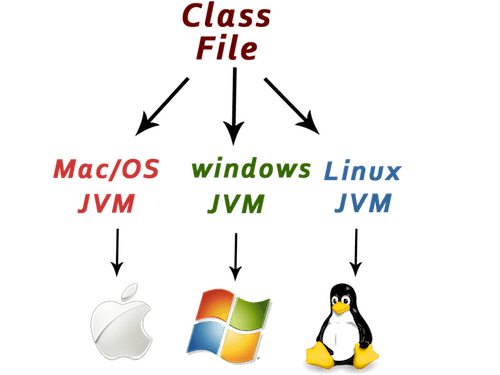
You can understand more about it. Let’s see How the way Java Works
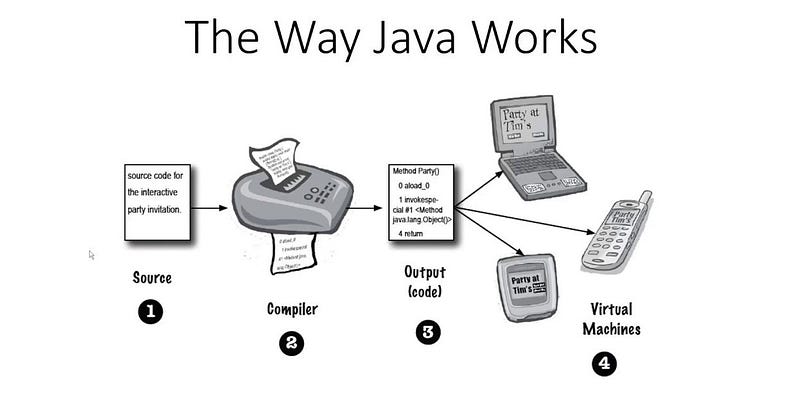
Step 1: Create a source code file. (with the .java extension)
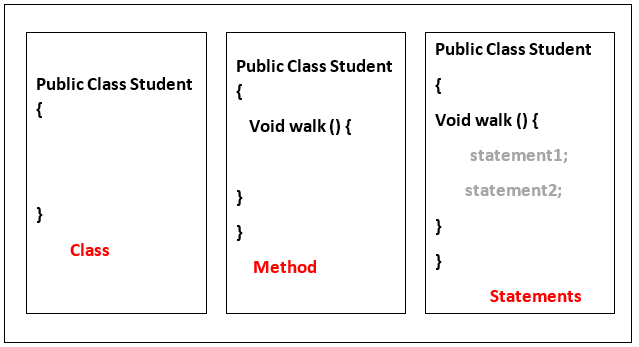
Source code means to hold on to class definition. class represent a piece of the program. the class has one or more methods. for example, In the student class has the walk method which instructions for how students should walk. keep in mind that your method must be declared inside a class. The method that how to instruction be performed. Method Code is basically a set of statements and you can think of a method kind of like a function. I will explain more about it in this article.
Step 2: Compile the source code which means Compiler runs the source code. The compiler will not allow you to compile until it is satisfied that everything will run correctly.
Step 3: In this step Compiler will return “Java bytecode” which means Java will be able to this translate/interpret file something to can run.
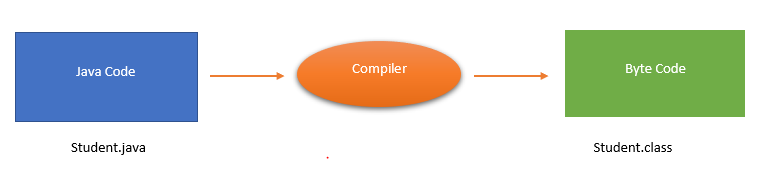
Step 4: Finally Java Virtual Machine(JVM) reads and runs bytecode and gives a real output from the program on the target platform.
I hope you basic understand in how to Java works.
Structure of Java Code
In this section you will learn how to write the simple code of Java applications.
First you need to install the JDK and set the path in your Machine.
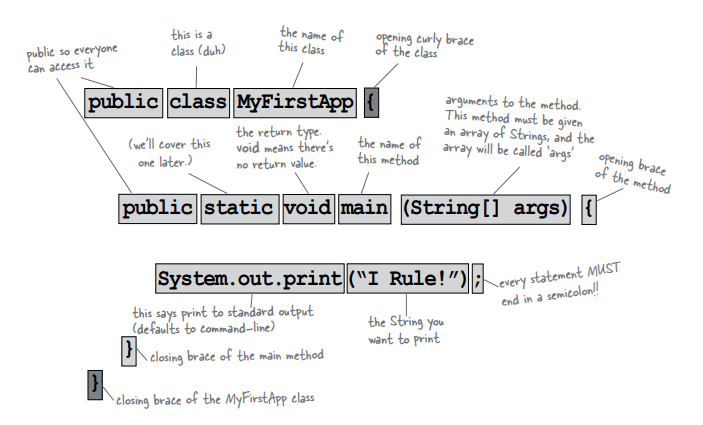
Java application has to have at least one class and at least one main method (not one main per class; just one main per application). When the JVM starts running, The main method with class runs code line by line.
Here is the basic syntax for Java Class.
public class class_name{
public static void main (String args[]){
//statements
}
}
In this above code, It always has to be a pair of curly braces ({}).
Let’s create a Hello programme
public class Student{
public static void main (String args[]){
System.out.println("Hello");
}
}
Create the above program in text editor.
Save the above file Student.java
open Cmd and set the path on location on your save program
To Complie — javac Student.java
To Run — java Student
Output — Hello
In the following picture, the explanation of the class and the main method.
Conclusion
I hope, in this article, you can get the basic knowledge about Java, basic Java code Structure. I will cover Java in upcoming articles. Stay on with me.